
Tangled Thistle · Atmosphere OS
Pretty is not a plan.
A plan is not a smaller party.
Tell me the wild version. Atmosphere keeps the design, venue, guest flow, schedule, staffing, rentals and day-of work in one Event Project — then shows what breaks, what becomes uncertain and what has to be revisited when the number, the room, the timing or the weather changes.
What this is — and isn’t
A planning tool for event atmosphere. It is not a vendor agreement, a safety assessment, or venue-compliance advice. Costs are indicative bands rather than quotes, and seasonal and availability notes are planning filters, not guarantees — confirm minimums and lead times with each vendor. Where something you have told it rules an option out, it names the rule and the reason.
- System
- One Event Project
- Health
- Ready · Attention · Blocked · Unknown
- Storage
- Local-first + explicit sharing
- Day Of
- Offline-ready
- Price
- Per studio, not per seat
Section 01 · The evening
Every plan is an arc, not a checklist.
Arc Studio reads the whole night as one energy curve, and marks the single moment the room decides what kind of evening it is having.
Worked example · not your evening
Room intensity from doors to T+240. Peak at T+184, 72 out of 100. The Turn at T+158. The sharpest measured change in the room is at T+51. 1 shape fault detected.
- Peak
- T+184Room intensity 72 of 100 — the busiest minute of the night.
- The Turn
- T+158Where the evening is written to change character.
- Biggest measured change
- T+51The room actually pivots here — not where the Turn is written.
- Shape faults
- 1The Turn is not where you put it
This is a modeled example, not a stock illustration — change the guest count or the service style in Arc Studio and the line moves. Once you have a plan saved in this browser, your own evening is drawn here instead.
Section 02 · The suite
Seven steps, one continuous plan.
Work through them in order for a complete plan, or open a single one when a client only needs one answer. Each step passes what it settled to the next. The library and the rulebook sit alongside them and are not steps — read either at any point.

Theme Atelier
Signature atmospheres built as complete design systems — palette psychology, florals, materials, lighting and spatial mood resolved together.
Open
Moodboard-to-Plan
Client direction — a saved board, three photographs, one sentence — translated into layered plans and language a vendor can act on.
Open
Floral Direction
Hero moments, volume strategy and seasonal reality, written into a brief a floral studio can quote from directly.
Open
Budget-to-Atmosphere
Where the money actually shows in the room. Scenarios, sensitivity, and the decision briefs that defend atmosphere spend.
Open
Guest Journey
Pressure-test guest states across the night — thresholds, friction points, and the first fix named for each one.
Open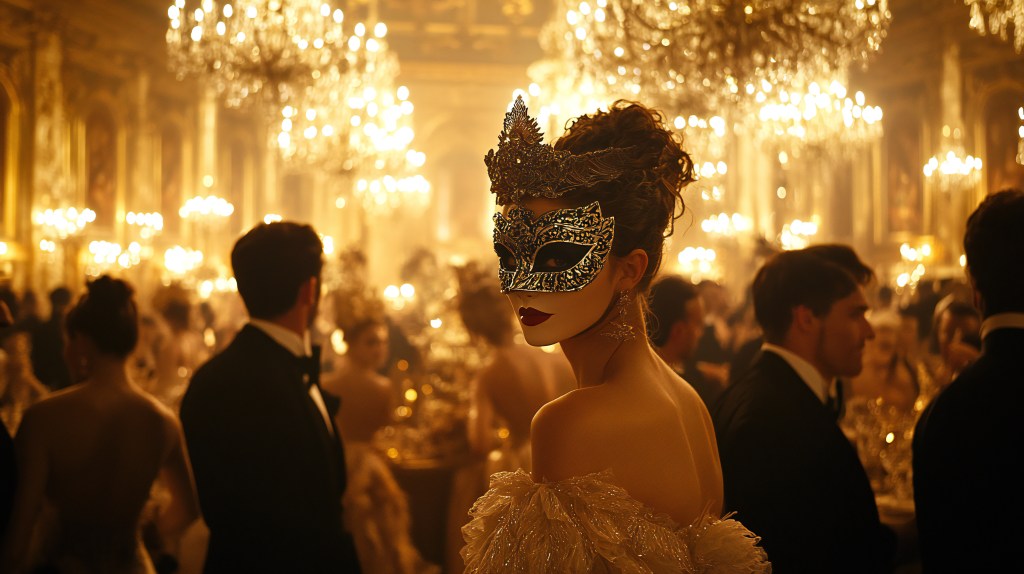
Arc Studio
Where the evening comes together. Energy arc, The Turn, run sheet and production brief in one document.
Open
Vendor Pack
The document you actually send — timeline, load-in, atmosphere priorities, constraints and contacts.
OpenSection 03 · Where your plan stands
Nothing is assumed. Every choice is yours.
Each step passes what it settled to the next. This is where your plan stands right now, read from this browser. Where a step is still waiting on you, it says so rather than filling the gap with a guess.
- Ready
- 0of 7 steps
- Older than 3 days
- 0all current
- Not started
- 7Next: Theme Atelier
Empty on purpose
Nothing appears here until you have made some choices. No plan is invented on your behalf. Open Theme Atelier to set an atmosphere of your own — or load the worked example below to see all seven steps carrying one real event, then clear it.
| Step | Gives you | Status | Last updated |
|---|---|---|---|
| 01Theme Atelier | Not set yet — no palette will be assumed. | Not started | — |
| 02Moodboard-to-Plan | Not set yet — client direction will not be inferred. | Not started | — |
| 03Floral Direction | Not set yet — no floral brief will be written. | Not started | — |
| 04Budget-to-Atmosphere | Not set yet — spend will not be estimated. | Not started | — |
| 05Guest Journey | Not set yet — guest states will not be guessed. | Not started | — |
| 06Arc Studio | Not set yet — no run sheet will be assembled. | Not started | — |
| 07Vendor Pack | Not set yet — nothing will be sent to a vendor. | Not started | — |
Section 04 · Your progress
Pick up wherever you left off.
Each step does real work and tells you what it produced. Where a step cannot fit what you have already decided, it stops and says why.
Your progress · 0 of 7 steps ready
0 of 7 steps ready. Next: Theme Atelier.
Theme Atelier
Not started yet — this is your next step. Palette, florals, materials, lighting and spatial mood, resolved together.
Moodboard-to-Plan
Not started yet. Client direction translated into layered plans and vendor language.
Floral Direction
Not started yet. Hero moments, volume strategy and a floral brief a studio can quote from.
Budget-to-Atmosphere
Not started yet. Scenarios, sensitivity and the decision briefs that protect atmosphere spend.
Guest Journey
Not started yet. Guest states across the night, with the first fix named for each.
Arc Studio
Not started yet. The energy arc, The Turn, the run sheet and the production brief.
Vendor Pack
Not started yet. Timeline, load-in, atmosphere priorities, constraints and contacts.
Everything stays in this browser until you explicitly export it or share it. No step does anything until you open it.
Production & operations
The plan is built. Now see whether it holds.
The seven steps design the evening. These surfaces test and run the same Event Project — consequences, crew, building, vendors, clock, evidence and the day itself.
Event Command Center
CommandWill this event actually work? Read whole-event health first, then the constraints, unresolved questions and planning work that need attention.
OpenDay Of
LiveThe run sheet with real clock times, cues by role, crew calls with the numbers to ring, and the questions no record can answer. Opens with no signal.
OpenVendor Desk
PipelineTrack vendors from shortlisted to booked. Payment schedules, commitment totals, and the variance between what you planned and what you actually committed.
OpenEvent Parts
ArcThe parts of the evening — ceremony, dinner, dancing — as one object, with their own times, rooms and headcounts.
OpenLogistics & Crew
CrewCrew load, shared-access collisions, expected arrivals, and the operational gaps that still cost somebody a phone call — read from what you already declared.
OpenVenue Ledger
VenueDoes this concept survive this building? Every demand the design makes of the venue, checked against what the venue has actually told you.
OpenWeather & Daylight
ConditionsSeasonal planning and live conditions — sunset, temperature bands, and the weather backup posture that matches the event you are running.
OpenConstraint Intelligence
FitCross-check venue capacity, production demands, and rental placement against what the building actually allows — without inventing geometry the project does not carry.
OpenVenue Document Intake
EvidenceReview candidate venue facts extracted from pasted documents before any evidence is allowed to affect the plan — the intake gate between raw text and a trusted Event Project.
OpenSection 05 · Standing library
Signature atmospheres, already resolved.
38 finished design systems on the shelf. Start from one, or use them as the reference grammar when a client arrives with their own direction. Browse the whole library.
How this works
How Atmosphere OS works
- 01
Choose an atmosphere — or start from a short brief.
- 02
Set guests, season, and a realistic budget range.
- 03
Work through theme, florals, budget, guest journey, timing, and vendor details in order.
- 04
Download the planning notes you need and print the florist or vendor sheets you want to share.
Atmosphere OS only works with the information you give it. If an important decision is missing, the next step asks for it instead of filling in the blank for you. Start from a brief, read worked examples end to end (a brand supper, a memorial and two weddings) , or open the Field Guide when you want the full diagrams, design principle, variables that change the answer, and professional verification boundary.
From answer to decision proof
The desk keeps four different things visible instead of making a planning result look more certain than its inputs allow.
- 01
Known input
What you actually told the Event Project.
- 02
Named method
A rule, stated position, or labeled judgment.
- 03
Planning result
The same input produces the same answer.
- 04
Real-world check
Vendor, venue, authority, quote, or field condition.
Local-first by design
Work here first. Export the Event Project when it matters.
The working plan stays on this device. When you want to carry it somewhere else, export the project package or the document you need. Nothing leaves the browser because an account decided to sync it; moving or sharing the work is an explicit action.
Open the project deskThe same answer every time
Give this evening the same inputs and this number will produce identically again. Floral volume, budget sensitivity, power draw and guest pressure are judged against written rules, not generated fresh each time. That is what makes a figure safe to send to a florist who is going to quote against it.
Read the rulebook — every formula, the standards behind them, and the judgments I deliberately do not call rules.